Recording day
How do you record a podcast?
By the team at The Cast Studio · Updated · 10 min read
In short
Give every voice its own microphone and its own track, record in a quiet room with soft surfaces, and keep a backup. At home, test and listen back first. With a remote guest, each person records locally. In a studio, the team runs it: with Full Crew at The Cast Studio, source files arrive in your Google Drive right after the session.
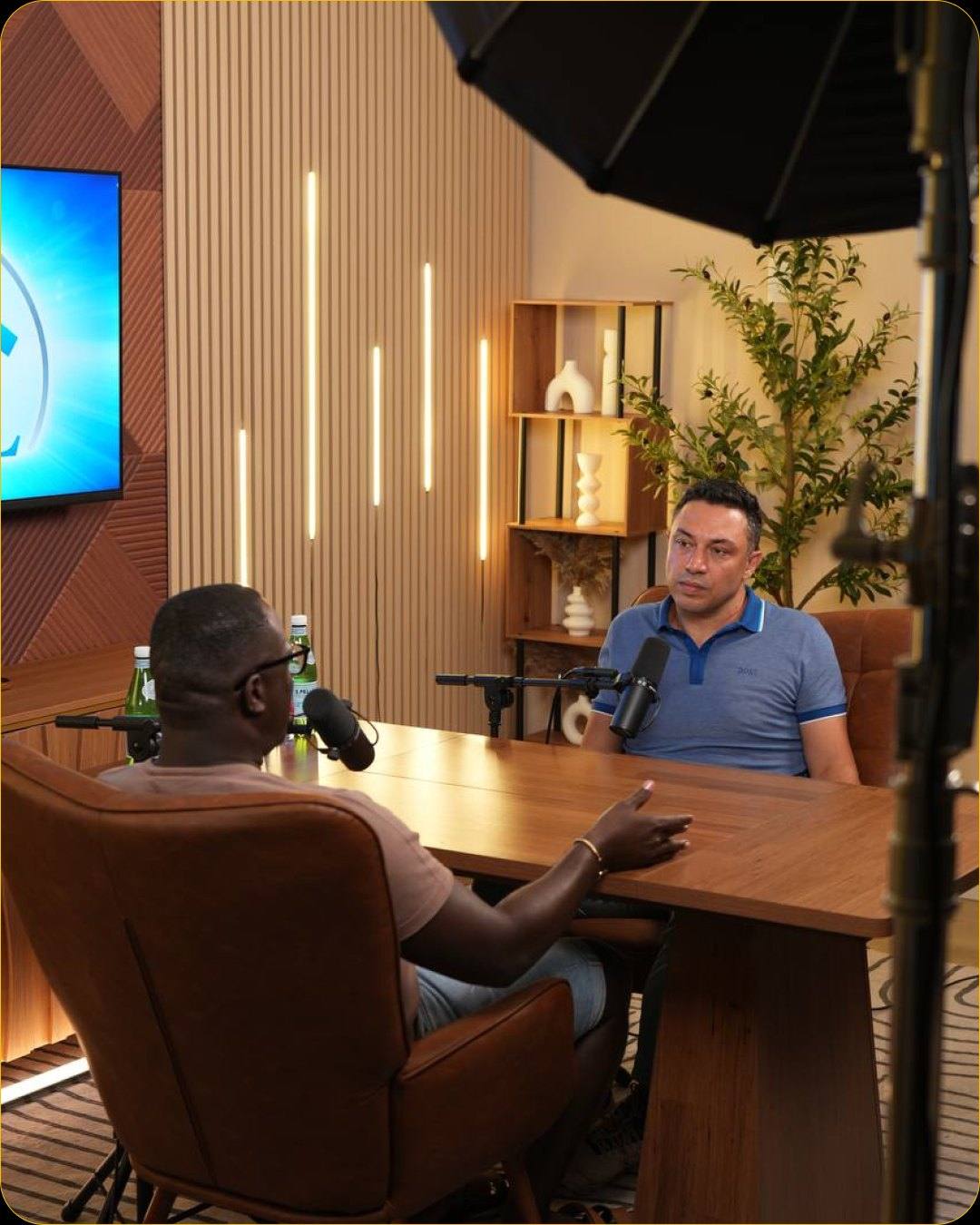
Every podcast recording needs three things: clean audio from each voice, a backup, and a plan for the conversation. How you get them depends on where you record. This guide gives you the steps for recording at home, with a remote guest and in a studio, what changes on video, and what to do the moment you stop.
Which way of recording fits your show?
Record at home when you control the room and want to run the gear yourself, with a remote guest when they cannot come to you, and in a studio when you want video or a team to run the session. Here is what changes with each.
| Compare | At home | With a remote guest | In a studio |
|---|---|---|---|
| Who runs the gear | You | You, and your guest on their side | The team with Full Crew; a tech assist with Solo Cam |
| How each voice is recorded | A microphone per person, each on its own track | Each person records their own track locally, called a double-ender | Microphones into a Rodecaster Pro mixer |
| What you leave with | Your own files | One file per person, plus the call recording | Files in Google Drive right after the session with Full Crew, or a finished edit with Ready to Post |
What do you need to record a podcast?
To record a podcast you need a microphone and headphones for each person, a recorder or a computer, a quiet room and a plan for the conversation. Video adds cameras and light.
- A microphone per person. One microphone each gives every voice its own level and its own track.
- Headphones for everyone. They let you hear hum, distortion or a guest drifting away from the microphone while you can still fix it.
- A recorder or a computer. An audio interface and a computer, a portable recorder or a podcast mixer all work, as long as each microphone is recorded on its own track.
- A quiet room. Use the quietest room you have, with soft surfaces to cut the echo.
- For video, cameras and light. A wide shot plus a single of each speaker is the usual layout, with light that makes faces clear.
- A plan. Choose a podcast format and write your questions before you press record.
How do you record a podcast at home?
To record a podcast at home, pick a quiet room, put one microphone on each voice, test your levels and run a backup before you start. Work through these steps in order:
- Choose the quietest room and make it soft. Pick the room with the least noise from outside, then add soft surfaces: a rug, curtains, a sofa, cushions. Bare walls and hard floors bounce sound back into the microphone and make voices sound hollow. Close the windows and switch off fans while you record.
- Mute notifications. Put phones on Do Not Disturb and close email and chat on the computer. A ping in the middle of an answer is hard to remove.
- Set the microphone distance. A dynamic microphone should sit close to the mouth, about a hand's width away. The closer it is, the more voice and the less room you record. Keep the distance steady, because leaning in and out changes the volume.
- Record each voice on its own track. With one microphone per person on separate tracks, you can fix one speaker's level or remove one cough without touching the other voice.
- Set levels with a test. Ask each person to speak at normal volume, then at their loudest: a laugh, an emphatic point. Adjust the gain so the meter stays below its maximum at the loudest moment. Clipping, the distortion from a signal that is too loud, is very hard to repair later.
- Run a backup recorder. Start a second recording on another device before the first question: another recorder, or a phone with a recording app near the speaker. A corrupted file or a full drive should not cost you the episode.
- Do a 30-second test and listen back. Record 30 seconds and play it back in headphones. Check that every track has sound, that the backup is running and that you hear no hum, echo or distortion. Fix what you hear, then record for real.
- Leave a few seconds of room tone. Before the first word, stay silent for a few seconds. Editors use this room tone to fill gaps and match cuts.
Record everything twice
A backup costs almost nothing, and a conversation cannot be repeated word for word. At home, over a call or on video, keep a second recording running.
How do you record a podcast with a remote guest?
To record a podcast with a remote guest, have each person record their own audio on their own device, a method called a double-ender, and record the call itself as a backup. A call sends both voices over the internet, so every dropout lands in the recording. With a double-ender, each voice is recorded where it is spoken, so a weak connection spoils the call you hear but not the files you keep. Buzzsprout recommends the same method for remote shows in its remote recording guide (December 2025).
You can do it by hand: each person runs a recorder app and sends you the file. Or you can use a tool that records locally and uploads the files for you. Riverside is one example. As listed on October 4, 2026, its Free plan includes 2 hours of multitrack recording at 720p with a watermark. Its Pro plan costs $24 per month billed annually and lists recording up to 4K and 5 hours a month of separate-track recording. Check the current limits before you pick a plan.
Send your guest this list ahead of time:
- Headphones, so your voice does not come out of their speakers and back into their microphone.
- Wired internet, if possible. A cable keeps the call steadier than Wi-Fi.
- A quiet room with the door closed and notifications off.
- A USB microphone, if they own one.
On the day:
- Join the call early and run the same 30-second test as at home, on both sides.
- Start the call recording first, then each person's local recording.
- Record the conversation. A stutter in the call should not touch the local files.
- Say goodbye before anyone stops recording, and keep everyone connected until every upload has finished.
Keep the call recording as your backup, and use it only if a local file is missing or damaged.
How do you record a video podcast?
To record a video podcast, add cameras and light to your audio setup, record the sound on the mixer instead of the camera, and clap once at the start so every file can be synced. Filming a podcast comes down to five decisions:
- Angles: one wide shot plus a single of each speaker. The wide shot holds everyone, and each single follows one person, so an editor can cut to whoever is talking. Our podcast camera setup guide covers placement and framing.
- Light faces first. Put soft light on each face and separate light on the background, so people stand out from it. Our podcast lighting setup guide covers one, two or more people.
- Eye lines. Hosts and guests look at each other, not at the lens. Look into a camera only when you speak to the audience, as in the intro and the outro.
- A clap or slate for sync. Once every camera and the audio recorder are running, clap once where all the cameras can see your hands. It gives an editor a sync point between the pictures and the sound.
- Audio on the mixer, not the camera. Cameras record the picture. Send every microphone to the mixer or recorder, each voice on its own track, as in an audio-only recording.
A studio supplies the cameras and lights, so you skip most of this setup. The video podcast studio page lists what is in the room.
What happens when you record in a studio?
When you record in a studio, you book a set and a package, the team sets up, you do a sound check, you record, and your files arrive afterward. At The Cast Studio, 801 NE 2nd Ave, Ste 120, Fort Lauderdale, a podcast recording session runs like this:
- Book a set and a package. Choose one of the six sets: leather armchairs for interviews, a sofa for relaxed conversations, a table for group podcasts and panels, or the retro-pop set for creative shows. Then choose a package: Solo Cam at $199 per hour, Full Crew at $250, or Ready to Post at $455. Book online, or by WhatsApp, text, phone or Instagram. The studio tour is free.
- Arrive and sit down. With Full Crew, a full team sets up the cameras, lighting and audio. With Solo Cam, an on-site tech assist helps and one cinematic 4K angle is recorded. The room has three Sony 4K cameras, three to five studio lights, two background lights and a 55-inch display for your logo. Audio runs from two Shure microphones with Cloudlifters into a Rodecaster Pro. Space for two more microphones and inputs for up to five camera angles can be added for an extra fee.
- Do a sound check. Sit the way you will sit during the show and speak at the volume you will use, so the levels are set for the real conversation.
- Record. Talk. The studio must be vacated at the end of the reserved time, so plan your closing question to land before it.
- Get your files. With Full Crew, source files arrive in your Google Drive right after the session and are stored for 14 days. Ready to Post adds a finished 4K multicam edit with mastered audio, your logo, lower thirds and name titles, and stores files for 30 days. Solo Cam lists no delivery time, so ask when you book.
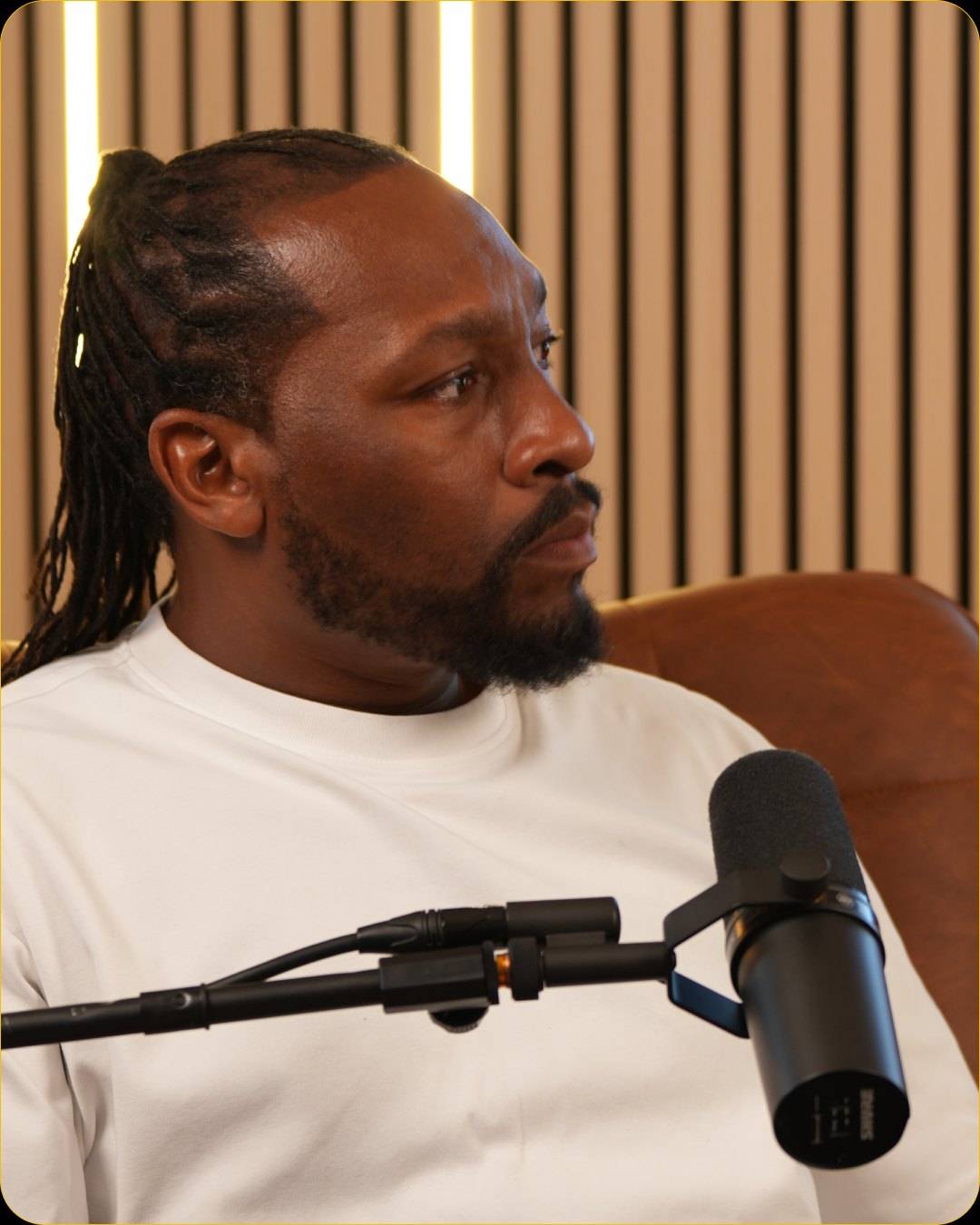
What you receive depends on the package:
| Package | Solo Cam$199per hour | Full Crew$250per hour | Ready to Post$455per hour |
|---|---|---|---|
| Choice of six sets | Included | Included | Included |
| Cinematic 4K camera angles | 1 | 3 | 3 |
| Professional audio and studio lighting | Included | Included | Included |
| Who runs the session | On-site tech assist | Full crew | Full crew |
| Behind-the-scenes photos and video | Not included | Included | Included |
| Thumbnail and guest photos | Not included | Included | Included |
| Files in Google Drive right after the session | Included | Included | Included |
| File storage | Not included | 14 days | 30 days |
| 4K multicam edit, mastered audio, logo, lower thirds, name titles | Not included | Not included | Included |
| Request this package | Choose Solo Cam | Choose Full Crew | Choose Ready to Post |
The how it works page shows the same journey from booking to files, and the podcast studio rental page lists every package and price.
How do you avoid the most common recording mistakes?
You avoid most recording mistakes by checking for the seven below before you press record and by listening to a short test with headphones on.
| Mistake | What it sounds or looks like | Fix |
|---|---|---|
| Clipping | Harsh, crackly distortion on loud words and laughs | Test with your loudest moment, then lower the gain until the meter stays below its maximum |
| Echo | A hollow, roomy sound, as if you were talking in an empty room | Move to a room with soft surfaces and bring the microphone closer |
| One shared microphone | One voice louder than the other, and no way to fix one without the other | One microphone per person, each on its own track |
| No backup | One corrupted file or full drive, and the episode is gone | Run a second recorder, or record the call too |
| A guest on AirPods | A thin, distant voice, sometimes with dropouts | Ask for headphones with a cable, and a USB microphone if they have one |
| Camera autofocus hunting | The picture keeps pulsing in and out of focus when someone moves | Check focus on the eyes on a monitor before you start, then lock it |
| Recording only on Zoom | Compressed audio and gaps when the connection stutters | Have each person record locally, and keep the call as the backup |
What should you do right after recording?
Right after recording, back up your files in two places, label them, and note the timestamps of moments worth turning into clips. Then edit.
- Back up to two places. Copy the files to your computer and to a second place, such as an external drive or cloud storage, before you format a card or close an upload tab. From a studio, download your raw files as soon as they arrive: Full Crew stores them for 14 days, and Ready to Post for 30.
- Label every file. Name files by episode and source, such as ep12-host, ep12-guest and ep12-wide, so you still know what each one is when you come back to it.
- Note timestamps for clips. While the conversation is fresh, write down the times of the strongest answers, laughs and quotes. It saves you from scrubbing through the whole recording later.
- Edit. Our guide to how to edit a podcast covers the cleanup and the cuts. When you export, remember that Apple Podcasts asks for loudness of about -16 LKFS (plus or minus 1), a true peak of -1 dBFS or lower and specific MP3 settings. The edit guide has the details.
Want a team to run the cameras, light and sound? Book a session, or see the six sets on a free studio tour.
Sources and method
Checked on October 4, 2026: the Apple Podcasts audio requirements (loudness, true peak and MP3 settings), Riverside's pricing page (plan limits and prices) and Buzzsprout's remote recording guide (December 2025), which is cited only for its advice to record each person locally. The Cast Studio's prices, equipment and session rules come from its published packages and Terms of Service (effective February 1, 2026), checked the same day. Everything else here is general recording practice, not a measurement or a test. Plans and prices change, so confirm them with the provider before you rely on them.
Frequently asked questions
What is the easiest way to record a podcast?
For audio, the easiest way is one quiet room, a microphone for each person and a 30-second test before you start. For video, the easiest way is to let a studio run it: you book a set and a package, sit down and talk while the team handles the cameras, lighting and audio. At The Cast Studio, that is Full Crew at $250 per hour.
Can you record a podcast on your phone?
Yes. A phone can record a podcast, and it also works well as a backup recorder. Use a quiet, soft room, keep the phone close to the speaker, silence notifications and listen to a 30-second test. For two or more voices, or for video, use a microphone for each person so every voice gets its own track.
How do you record a podcast with two people in different places?
Have each person record their own audio on their own device, a method called a double-ender, and record the call as a backup. Tools such as Riverside record each person locally and upload the files. Ask your guest for headphones, a quiet room, wired internet and, if they own one, a USB microphone.
Should you record audio and video separately?
Record audio and video at the same time, but on separate devices. The cameras capture the picture, and the microphones feed a mixer or recorder that captures the sound, with each voice on its own track. Clap once after everything is running, so an editor can sync the pictures and the audio.
How long does a studio recording session take?
A studio session lasts as long as you book. At The Cast Studio you reserve hours, and the studio must be vacated at the end of the reserved time. Plan time for setup and a sound check before the first question, and book the hours you will actually use.
Written by the team at The Cast Studio, a podcast and video studio at 801 NE 2nd Ave, Ste 120, Fort Lauderdale, FL 33304. Facts and prices are checked on the date shown above. About the studio.